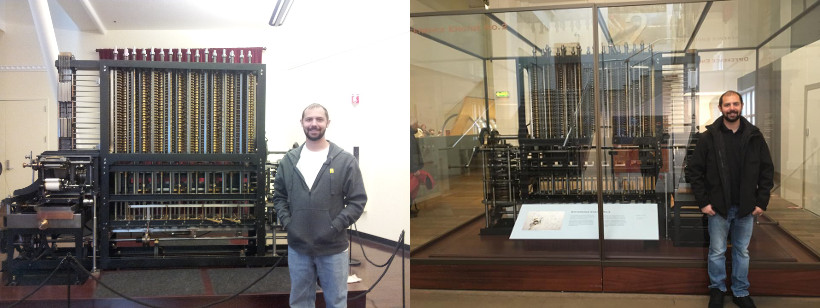
Yum.
Since it is almost the last day of the year, I suppose it is time to take a look back and see what has happened.
My research has progressed, but not very quickly. I missed several conference deadlines, and I’m still trying to get a paper done. However, I’m quite close!
My advisor retired in February. Not much changed until recently, when he announced he was not sure about funding those of us left in the lab next year. This spurred some panic, but we have time to figure it out. I’m thinking of taking an adjunct teaching position somewhere.
Inspired by _why’s potion language, I started working on my own little programming language called Brat. It’s been my best project, keeping me busy pretty much all year. I’m always running into or thinking of new things to do with it. Writing your own language forces you to learn a lot of things. Not just about parsers and compilers, but nearly everything, since any libraries will have to be written (or at least wrapped up) by yourself.
My parents came and visited around my birthday. That was pretty fun, although I now have a better list of things to do if they come visit again.
I was considerably absent last school year. Accordingly, this fall I made a resolution to be more involved, especially with the CSGSC. So far, I’ve been successful with this.
I also had an interesting programming experience wrapping up gdbm using FFI, making it usable from JRuby and other Ruby VMs. It was my first time using FFI, writing a library for JRuby, and packaging up something to be used as a gem. Quite a learning experience, but one I really enjoyed. Hopefully, it will eventually get included in JRuby itself.
I started a couple little websites: the Fledgling Languages List and a Neko Tutorial.
I picked up a T-Mobile myTouch, thinking I would get into Android programming. Hasn’t happened yet, but I’m still hoping to get going on it. I understand it’s pretty straightforward once you get the dev environment all set up, I just haven’t gotten past that part yet.
I lived through Michael Jackson’s death and Los Angeles’ frenzy over it. He was taken to the UCLA hospital, so I got to see some of it first hand.
The summer roadtrip I had hoped to take didn’t work out, although my girlfriend and I did get to go to Ohio for a little family reunion. We just flew instead of driving.
I was able to see Zao play a concert in a tiny little place in the middle of nowhere.
Despite having completed the WQE two years ago, I just now filled out the paperwork to get my Masters’s. Now it only takes 3-4 months to get my diploma.
Now I just have to get in gear for the new year!
Recently, the main Ruby Gems hosting has moved from RubyForge to Gemcutter. This is pretty cool, and I was excited to publish my first gem there (the JRuby gdbm library I’ve mentioned before).
I get excited imagining that people actual use my stuff, so I’ve been tracking the downloads reported by Gemcutter. I seem to recall there being a problem a little while ago with numbers being off, but I thought that had been solved. In any case, I was surprised by the number of downloads (up to 137 now). It’s not very high for most things, I guess, but for a library for a specific dbm for a specific Ruby implementation, it seems suspicious.
My current theory is that people are installing it on accident, perhaps thinking that they need it to use gdbm in the main Ruby implementation (or perhaps others?). Fortunately, I’ve checked it out, and it appears that even if you install it this way, it will not interfere with the gdbm library in Ruby’s standard library. This is likely because the gem paths are later in the search path. Of course, if Ruby’s standard gdbm is not working for you, then my gem probably won’t either, unless you are using it with JRuby, as intended.
In retrospect, perhaps I should have named the gem a little bit better, to avoid confusion…
Here’s some links to interesting Ruby information. I intend to update it periodically.
Ruby Doc – Best site for looking up the core Ruby API and the standard libraries.
AllGems – Documentation for most Ruby gems.
Ruby Forum – Mirrors of the main Ruby mailing lists. Some are read-only.
Gemcutter – The new gem hosting site.
RubyForge – The old Ruby project hosting site. It is slowly being phased out.
Try Ruby – The new Try Ruby page, where you can go through an interactive tutorial directly in your browser.
Ruby Inside – Popular Ruby blog, with frequent articles.
Ruby Flow – Community-submitted Ruby links.
Ruby Trends – View and vote for trends in Ruby software, books, and more.
Ruby Pulse – Screencasts of Ruby software and libraries.
Ruby Subreddit – Reddit site for Ruby. Not incredibly active.
Ruby Stack Overflow – Ruby questions on Stack Overlow.
Confreaks – Not strictly Ruby, but videos from many Ruby events are available for streaming.
I am just so excited right now. I was watching Dave Thomas’ (not the Wendy’s guy) keynote talk from RubyConf 2008, in which he proposes several “forks” of Ruby. At about 40 minutes in, he discusses having a fork of Ruby that has real closures instead of blocks. I thought to myself, “Self, that sounds a lot like Brat.” Five seconds later, he mentioned the problem with passing in multiple closure literals to a function: the comma is ugly.
some_method { do_stuff }, { 1 + 2 }
I agree! I think this is an ugly issue in Brat right now.
But then he proposed an awesome solution: if two closures are next to each other in the argument list, you don’t need a comma! Now you can do this:
some_method { do_stuff } { 1 + 2 }
This took approximately 2 minutes to implement for Brat.
Now instead of
while { x < 1 },
{
p x
x = x + 1
}
You can do
while { x < 1 } {
p x
x = x + 1
}
I think this is awesome and makes Brat a lot more attractive.
In fact, I went totally crazy so now you can do
x = 101
true? x > 100
{ p "> 100!" }
{ p "<= 100!" }
Just be careful when using bare variables:
true? a { p "truth!" } { p "lies!" }
This is parsed into:
true?(a({ p "truth!" }, { p "lies!" }))
This is so cool…now to update all of Brat’s docs with this syntax. :)
After nearly three years of using the T-Mobile Dash, I was finally seduced into getting a new phone. Let me say upfront that I am no Microsoft/Windows fan, but once I got a good ROM with the latest Windows Mobile, the phone was really good. There was really nothing wrong with my Dash, the only real issue was me getting a little bit tired of EDGE speeds. But Android sounded pretty appealing, as did the potential of writing my own apps (and possibly making a little bit of money from them (also, this ).
Packaging
I have no idea why, but they shipped the myTouch in a really nice hard case (never to be used again) with everything packed neatly in foam. Pretty fancy. It came with a two-piece charger (wall plugin + USB cable), earphones, earphone adapter (more on that later), a nice little bag for the phone, a screen protector, and a 4GB microSD card (installed).
Unfortunately, it was quite light on instructions, and I had to go online to figure out how to open the battery cover. (I wasn’t going to start randomly pushing and pulling things on a brand-new phone.) The battery was charged, as usual.
Updating Services
For some reason, I was expecting the T-Mobile website to detect my new phone. I thought it did that before. With it still thinking I had the Dash, the site (wisely?) did not offer the myTouch data plans. Once I manually set my phone, it came up and I signed up for the $25/month plan.
Using the Phone
The onscreen keyboard takes some getting used to. However, after several hours of messing with the phone, I realized it expects you to use your thumbs, not fingertips. I would rather use my finger, personally, but it responds much better to “fatter” touches. Scrolling also takes some practice. For one thing, I’m used to down being down and up being up, although I understand the abstraction of “throwing” the screen. It’s also a little tricky to scroll instead of clicking on things. I assume in time I’ll get the hang of it, though. Oh, and sweaty fingers don’t work at all.
One other thing about the fingers: I was holding the phone landscape-style between the forefinger and thumb on my right hand, and touching the screen with my right pointer finger (probably behavior from playing the DS.) The problem with that is the volume key then directly underneath my thumb. Switching to thumbs-mode (like playing a NES, I guess) “fixes” this.
Another thing I kept confusing was the “disconnect” (red phone) key locking the phone. I am used to that being the “close application” or “cancel” button. But I got over that pretty quickly.
Besides basic dialing/browsing, the initial setup on the phone makes it kind of difficult to find anything. Settings are buried quite deep and I’m not sure they are organized as best as they could be.
Strangely, I often feel lost when using applications on the phone. Most apps don’t have “Okay” or any kind of confirmation buttons, you just use the ”<-” key. It’s hard to tell where you are or what you are expected to do.
Features
I started missing some things immediately. First, being able to quickly call a contact. On the Dash, I had it down to two keypresses. Second, I’m used to being able to see unread email counts right upfront, even when the phone is locked.
For the first issue, I found that “AnyCut” (free from the Market) will allow you to put a single-press shortcut on the home screen to call a contact. Problem solved.
For the email issue, I did not really find a solution. If you are an expert at writing email clients, here’s your opportunity. Search for “android email client” and you will see huge numbers of complaints. I’m using “K-9 Mail” now, which is a fork of the default client, but it’s still not as convenient or snappy as the Windows Mobile client (which was nothing special). K-9 still uses the “notifications” mechanism to tell you about unread emails, which is workable, but I would really prefer some kind of widget deal.
To combat the buried settings, I installed an app called “Toggle Settings” and dropped it on the home screen. Works for me. That’s how I found out the GPS was turned off.
Applications
Anyhow, now for the stuff that worked. The “voice search” is pretty cool and works well, although I don’t see myself using it. Google Maps is as good as you would expect, and that thing they showed in the G1 commercials with the street view actually works, too. Google SkyView is awesome. Of course, I had to get it during one of the rare cloudy days here, so I couldn’t try it outside.
The Android Market is decent. I hear it’s better in 1.6, but my phone hasn’t updated yet. Going through popular apps is alright, and I like the way you can immediately see ratings and comments from people. If you are just browsing, you can sort by category and then popularity or date. Unfortunately, though, if you just do a search you cannot sort the results at all (unless I missed something).
“Locale” is an application I’ve wanted forever. You can make all kinds of phone settings change according to your calendar, dates/times, location, or who is calling. You can set up all kinds of different things, and it’s really useful. No more embarrassing phone sounds in the middle of silent rooms!
The YouTube app works. Since I mostly use YouTube to lookup/listen to specific songs, I can see this being useful. I assume the video quality is a function of both the device and the uploaded video, so I am reserving my opinion of that until I fiddle with it more.
I also installed “Power Widget,” which simply displays the percentage of your battery left. The battery icon at the top of the screen is definitely misleading (right now shows full for 86%).
The calendar it came with is decent. My only complaint is that, again, the Dash would show upcoming appointments on the home screen, which was pretty nice. Perhaps there is an app somewhere for that, I haven’t looked yet.
I tried using one of the “home replacement” apps, but I could tell it slowed everything down, so I got rid of it pretty quickly. Like one blog I read, I think using the native one is going to provide the best performance/power usage for now.
Leftovers
I promised to get back to the earphone adapter, and then I forgot. Basically, it’s really short (like 3 inches), putting the microphone close to the phone and far from your mouth. I tried out the earphone/microphone deal from the Dash and it worked just fine. On the other hand, the adapter lets you use whatever headphones you want.
Anyhow, that’s most of what I’ve explored so far on the phone. I’ve come to the conclusion that I would probably not pay $199 for the phone, because somehow that sounds like a lot more than $149. But at $149, it’s pretty slick, and I imagine it will continue to improve as the Market expands and Android becomes better.
Motivation
(Warning: boring story ahead. Skip to next section if you want.)
Quite a while ago, I thought it would be kind of nice if my Ruby MUD server would run on JRuby, since JRuby might be better at dealing with long-running server processes. Unfortunately, at the time, EventMachine did not have a Java version, so I decided to wait for that to work.
A while later, there was some kind of Java release for EventMachine. I tried it out, but then ran into another problem: gdbm is provided as a C extension for the standard Ruby distribution. So, I gave up again.
Then, along came Ruby FFI and I thought, “Hm…wonder if I could use that…” and then I gave up because I am not very good at C, even just trying to read it.
THEN, I saw this blog post about the next version of JRuby (1.4) and decided maybe I should do something about it, after all. So I did.
ffi-gdbm
The result is a gdbm library which should be fully compatible with the standard C extension distributed with Ruby, including reading and writing gdbm files which can be read/written by either implementation.
Requirements
Although I had hoped to make this library compatible with any Ruby FFI implementation, unfortunately it only works with JRuby, and it needs at least version 1.4. Perhaps this will change as the other Ruby FFI implementations get fancier.
Installation
You can checkout ffi-gdbm on GitHub. All you actually need is the gdbm.rb file.
Alternatively, you can install it as a gem:
jgem install gdbm --source http://gemcutter.org
Make sure you require "rubygems" if you do use the gem version.
Usage
You can use this library just as you would the standard library that comes with Ruby. See here for documentation.
Aftermath
Unfortunately, the Java version of EventMachine is still incomplete, so it’s a bit of letdown, although kams does work at least nominally using it. Hopefully, EventMachine will one day be completely stable under JRuby.
Lately, there has been a particular activity which I consistently look forward to with excitement. That is writing libraries for my own programming language. Even if it is just wrapping existing libraries, there is something really cool about enabling a language to do “real world” type things, such as communicating with other processes or generating HTML or making a full-blown GUI.
Since I have started working on my own little programming language, I have repeatedly made attempts to take a look around at other little languages that people may be working on. However, either my Google-fu is weak or it is just difficult to find these little guys.
Part of the difficulty is that most people do not want to see your little half-finished, half-working language. A recent discussion on Reddit showed that people can be very reactionary to such languages. Now, there is Esolang, but that site is more focused on languages that are purposefully unusable.
Thus, I have created a new site to be the home of fledgling languages, appropriately entitled The Fledgling Languages List. Anyone is welcome to submit their own language or languages they know about for listing. Each language has its own little page with a description and people can leave comments or feedback for each language.
I am very open to suggestions or feedback concerning the site, especially if something is broken.
Soon I will beginning my fourth year of graduate school. The thought of that makes me a bit nervous. With only a single paper published and the summer rapidly slipping away, I am a bit apprehensive about my progress. While I do have a good idea of my research area and am at least getting a bit of stuff down for it, I worry that I will be slow in getting stuff done, and therefore not have time to do something I can be proud of. My hope, truly, is to be able to do something that matters. Otherwise, what is the point?
I have recently seen a couple videos which have gotten me a little more excited about things, though. The first was this interview with Neil deGrasse Tyson. He talks a considerable amount about how he has managed to get to where he is now (well-known astrophysicist). The other video is this one of Leonard Kleinrock (“Father of the Internet”) giving a talk entitled “My Life and My Work.” Really interesting and inspiring, in my opinion. (You can download it from here like I had to, since it kept stopping and restarting on me.)
I really wish to do “big stuff,” something that will matter. But it seems most of the people around me just want to graduate, get their degree, and get out of here. Of course, so do I, but I would like to be leaving while having accomplished something of importance, even if it is just a little bit of importance.
Previously, I had pretty much avoided implementing any kind of operator precedence for Brat and covered up my reluctance by saying that was just how it was. So binary operations were strictly left-to-right affairs. But that makes things like 1 + 3 * 4 very disappointing. Since I keep feeling like Brat should at least pretend to be a real language, I decided I really needed to do something about this.
What is so hard about it? It doesn’t seem difficult at first. It seems like there ought to be a nice recursive solution to the problem. And there probably is, but if you are using a typical recursive descent parser, this recursion will not be possible.
There are a few ways to go at this issue, but I wanted the simplest and easiest to deal with. A while ago, I had been thinking about this and ran across a reference to the shunting yard algorithm. At the time, I couldn’t really see how it was related. This time around, I looked at it a bit more closely.
The purpose of the algorithm is basically to convert equations which use infix notation (typical math notation with operators in between their arguments) into Reverse Polish Notation. Why would you want to do that? Well, because RPN is explicit about which order operations are evaluated in. It is also pretty straight-forward to implement (which is the important part, really.)
Let’s take a look at the two main parsing rules, written in Treetop, which deal with binary operations. I have elided the related code:
rule binary_operation
lhs:binary_operation_chain rhs:expression { ... }
end
rule binary_operation_chain
(lhs:binary_lhs_expression ~space op:operator ~space)+ { ... }
end
The first rule will match any binary operations. The second rule is a helper, which matches a list of binary operations, all except for the far right expression. There may have been some explicit reason why I separated these before, but it remains convenient in the code to do so.
The second rule will essentially return a list of alternating values and operators, just what the shunting yard algorithm needs.(Well, actually it’s simpler than the algorithm needs.) This list will be fed into the algorithm, which will spit out a new list of values and operators, now in the proper RPN form.
The parser then “evaluates” the RPN expression. It essentially runs through the algorithm for evaluating RPN, outputting code to evaluate expressions and using temporary values. In other words, the RPN algorithm is not explicitly emitted in the code, but the intent is in the order that things are evaluated.
The whole thing ends up being about 50 lines of code, which is far less than I thought I would be looking at for this.
Anyhow, just wanted to share. I’m pretty excited that Brat has this feature now, especially since it can be implemented in such a flexible way. Operator precedence is stored in a hash table which just associates operators with an integer representing its precedence level, so it is quite simple to add more operators (operators not in the table are just given the lowest precedence, though, so arbitrary operators are still completely supported).
When I started with kams, it was just going to be my own little MUD server that I puttered around with. So I set up a little Subversion repository and went at it. That repository slowly turned into my main server for the game. That way, I could do version control and keep a backup copy of everything. That worked pretty well for quite a while, until the decision was made to release some code. To do so, I created a branch, stripped out all of the stuff I didn’t want publicly released, and then released that code. Well, that is the way it was supposed to work. Actually, I had to fix things along the way as I was preparing the release code. This meant copying/merging back and forth between the branch and the trunk versions of the code.
This became annoying.
Now that I have been using Git for a while, I was hoping to do something so that I can continue my current path (keeping my private stuff private, but in the Subversion repository), but also maintaining an on-going public code repository.
To compound the issue, I (very foolishly?) do most of the development work on the live server. (Keep in mind, no one is actually using the live server, so this really does not matter.)
This is what I came up with. First, I created a GitHub repository for the public code. Then I copied my latest branch into the Git repository, committed it. Next, I created a new branch, deleted all the files, and then did an svn checkout to the new branch, and finally committed the private files to that Git branch.
Now what I can do is make code updates on my trunk code (kept in Subversion), then do an svn update on the private Git branch, then do a Git commit of the specific changes I want put in the public repository, then do a git cherry-pick of that commit into my master branch. Finally, a git push puts it all up on Github.
This works in reverse, as well. Changes made in the Git repository can be propagated to the private branch, from there to the Subversion repository of the trunk.
Works fairly well, actually, and it will make it considerably easier to create future releases. Yay.
As I mentioned before, there is no real reason or goal behind developing Brat, I just saw potion and decided I wanted to be cool, too.
What that means is that features in Brat are sort of based on two things: 1) How easy is it to implement in Neko and 2) Is it something I expect to have because I am spoiled by Ruby.
For example, closures/functions in Brat started off being identical to Neko’s, because obviously that was the easiest thing to do. And I hadn’t planned on taking the ‘prototyping’ approach, but it was easy and is likely the brattiest way to go.
Anyhow, when I was doing stuff for array objects, I was thinking I should really copy Ruby’s approach, which is to have an enumerable module and then mix it in to array and hash and so on. But, of course, that would mean implementing mixins somehow. I knew I didn’t want to add in any new things (like modules) and it’s all about the lowest resistance, so I created squish-ins.
I have no idea if this concept has been used before (probably), but essentially you can take an object and copy all the methods of another object into it.
a = new
b = new
a.something = { p "do something" }
b.squish a
b.something #prints "do something"
Note that I said it “copies” the methods from the other object. This is and isn’t true. Squishing in another object’s methods does not create copies of them, only references. However, it is a reference to the object’s actual methods at the time of the squishing. In other words, this is a copying action rather than an inheritance or subclassing action. If the squished-in object’s methods change, the…squisher(?) will still reference the old methods.
a = new
b = new
a.something = { p "do something" }
b.squish a
b.something
a.something = { p "now do something else" }
b.something #still prints "do something"
So we get the code-sharing of mixins but not the inheritance properties. For now, I’m fine with that. Of course, it is actually not that difficult to do both:
a = new
b = new
a.something = { p "do something" }
b.something = { a.something }
a.something = { p "now do something else" }
b.something #prints "now do something else"
I am not sure which is preferable.
I’ve been working on Brat quite a bit, and I remembered that I wanted to add in BigNum support. There is a GNU library for this called gmplib which seemed fairly straightforward. In fact, it was considerably more straightforward than connecting it up with Neko.
By the way, I realized I have never done anything in C. My undergraduate courses started off with C++, but I have never had to use plain old C.
Anyhow, this project required wired up three things: gmplib to Neko, then Neko to Brat. gmplib to Neko required creating, manipulating, and wrapping up C code and values using Neko’s FFI. Then I needed to replace all the math code I had written for Brat (in Neko). The last step (unfinished as of yet) will be to seamlessly switch between using Neko’s number values and the structures used by gmplib. There is no point in wasting time with BigNums when you are doing 1 + 1.
Neko FFI
First of all, everything passed in or out of Neko will be avalue. This is a Neko datatype, which basically contains a kind and the data itself. There are several kinds that are predefined (basically, a kind is a type), but you will likely need to make your own to pass C values in and out of Neko. This is what the top of my number.c file looks like:
#include <stdio.h>
#include <neko.h>
#include <gmp.h>
DEFINE_KIND(k_mint);
DEFINE_KIND(k_mfloat);
I include the proper header files and then define two kinds, one for integers and another for floats.
I then made a couple functions (one for integers, one for floats) to allocate and wrap up the proper structures for me. I think this is probably the way it would typically look when using Neko’s FFI:
value new_float() {
mpf_t * new_float;
new_float = (mpf_t*)alloc(sizeof(mpf_t));
mpf_init(*new_float);
value store = alloc_abstract(k_mfloat, new_float);
val_gc(store, free_float);
return store;
}
The gmplib structures need to be cleared when you are done with them, so I have a function which is used as a ‘finalizer’, which is assigned as shown above. When the Neko value is garbage collected, it first calls this method:
void free_float(value floatval) {
mpf_clear(val_data(floatval));
}
This function demonstrates another item: getting the data out of a value. This is performed using val_data, which returns whatever data you have wrapped up in the Neko value (using alloc_abstract).
value float_add(value float1, value float2) {
value result = new_float();
mpf_add(val_data(result), val_data(float1), val_data(float2));
return result;
}
To make these functions available to Neko, all you have to do is declare them to be ‘primitives’ and provide the number of parameters:
DEFINE_PRIM(num_add, 2);
Note that all values returned to Neko need to be converted into Neko values, even things like ints and booleans. This is fairly simple, though, as the API provides functions for these, as well as for checking the types of values passed in from Neko. For example, here is a simple boolean check:
value is_int(value num) {
return alloc_bool(val_is_kind(num, k_mint));
}
Once I caught the hang of it, wrapping up the library functions wasn’t too hard. But good thing I have a fairly large test suite to make sure I’m doing everything right! This is the first project where I have used tests like this, but I believe I understand why people are stressing tests so much. It’s amazing how much they help, both in finding bugs and in providing some peace of mind.
This is more to remind myself how to do this, but this is pretty cool (from here ):
rpm -qa --queryformat '%{name} %{size}\n' | sort -n +1 | column -t
That lists your installed packages by size, largest last. Very nice if you just want to get rid of large packages you no longer need.